Non employees
This feature helps organizations manage employees who do not fall within the organizational hierarchy. This ensures onboarding courses or courses intended exclusively for the organization can be assigned effectively. You can view the member name, belongs to, role, reporting manager, status and actions that can be performed.
The users outside Skill Lake who do not belong to any organizational group/sub group will be displayed in this page. This page displays the employees added through the Employees page whose primary group is ‘External’.
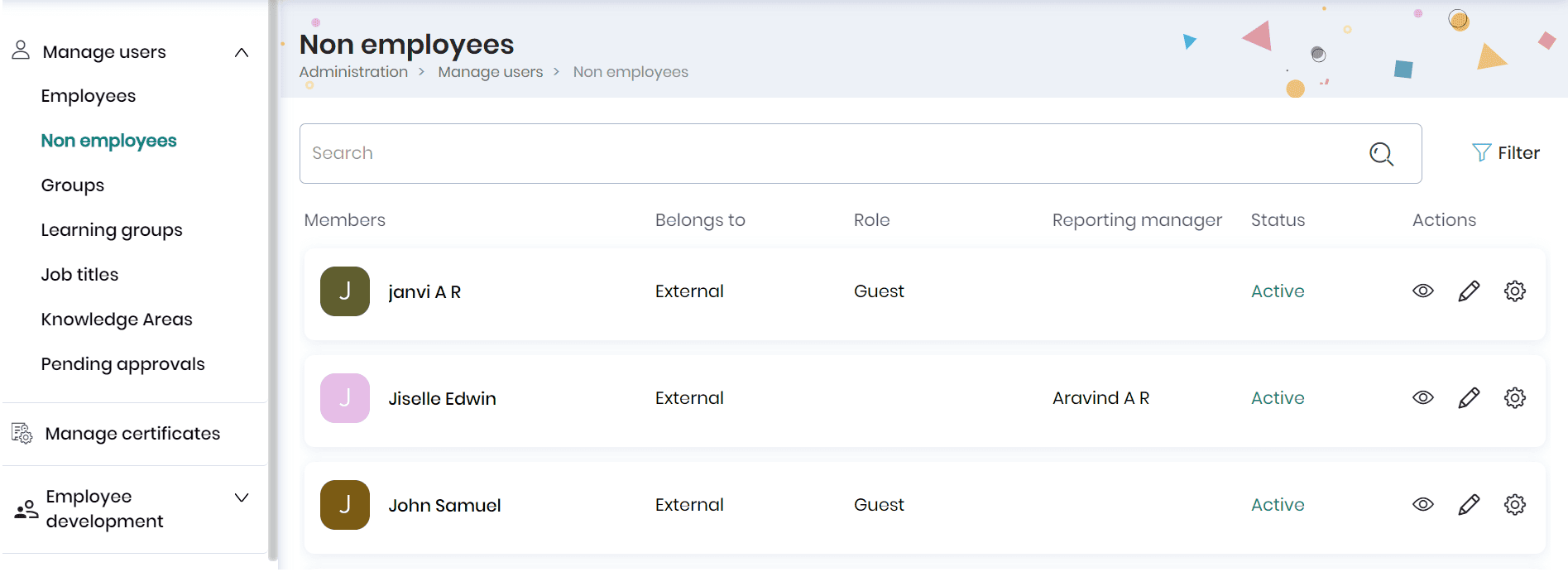
- Click on the user name or View icon to view the non-employee profile.
- Click on the Edit icon to edit the non-employee profile
- Click on the Settings icon and the Deactivate option to deactivate the non-employee.
- To delete the non-employee, click on the Settings icon and the Delete option.