View & Update Profile
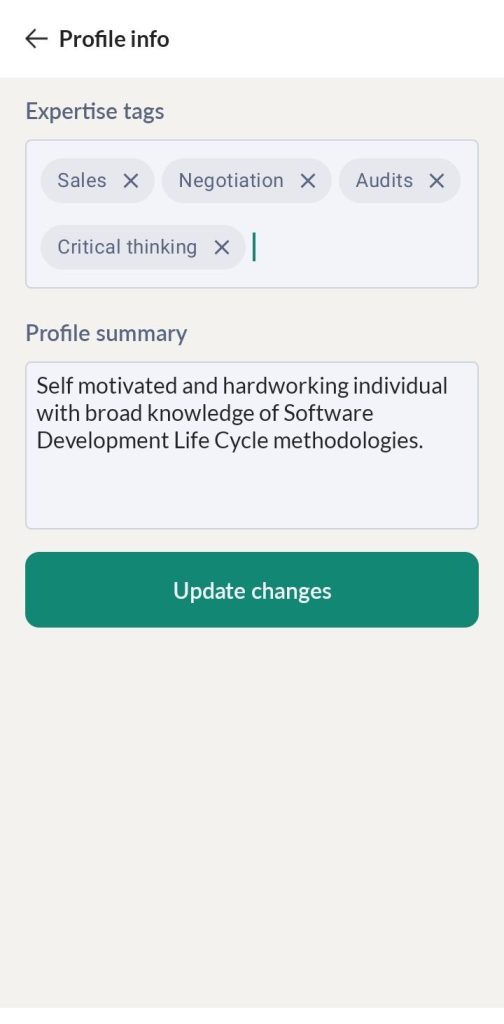
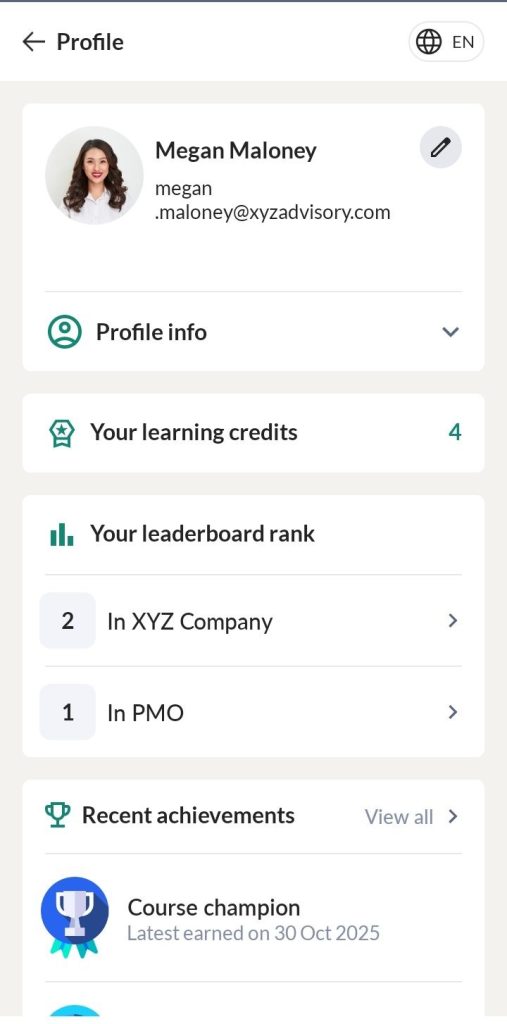
Tap on the Profile picture to view your profile. In the Profile Info tab, you can view your reporting manager, department, mentors, expertise tags and profile summary.
Learning Credits
You can view your learning credits.
Leaderboard
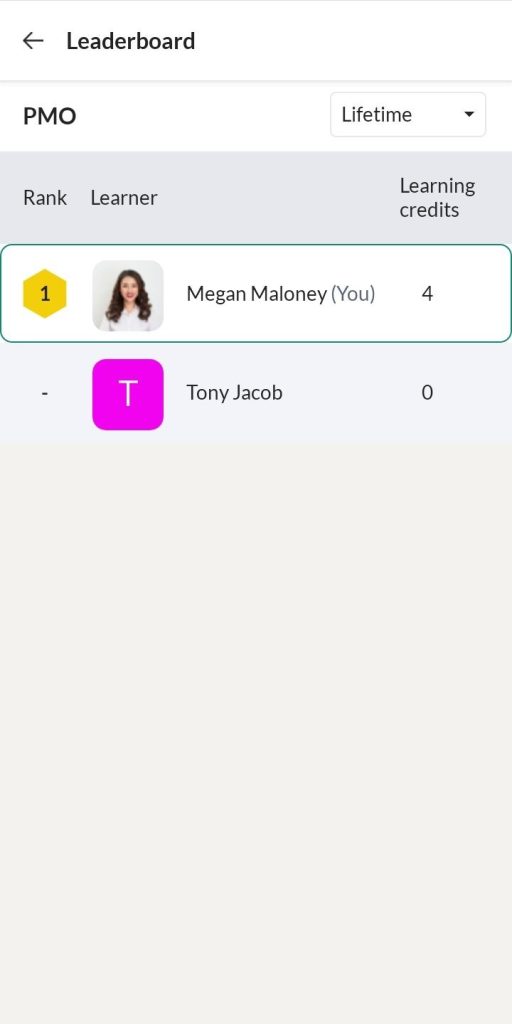
In SkillLake, learners earn learning credits by completing self-paced or instructor-led courses, tracked through a ranking system. To make this ranking visible, the Leaderboard has been introduced as an interactive and engaging feature that motivates learners. It allows them to view and compare their ranks within their department and across the organization. Admins can also monitor the rankings of the members they manage.
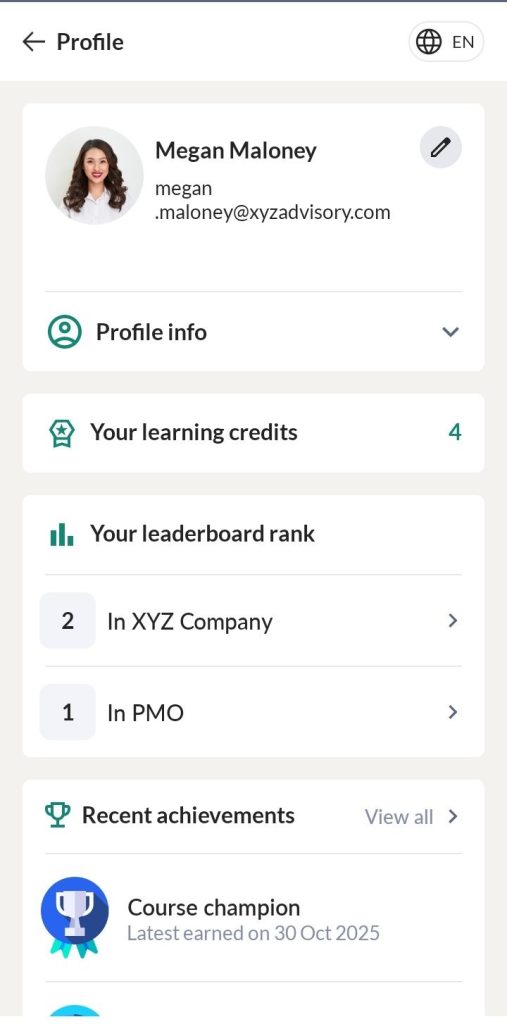
The learners can view the Learning Credits at both the organizational level and within their group. Tap on their rank will navigate them to the respective leaderboards.
Organizational Leaderboard
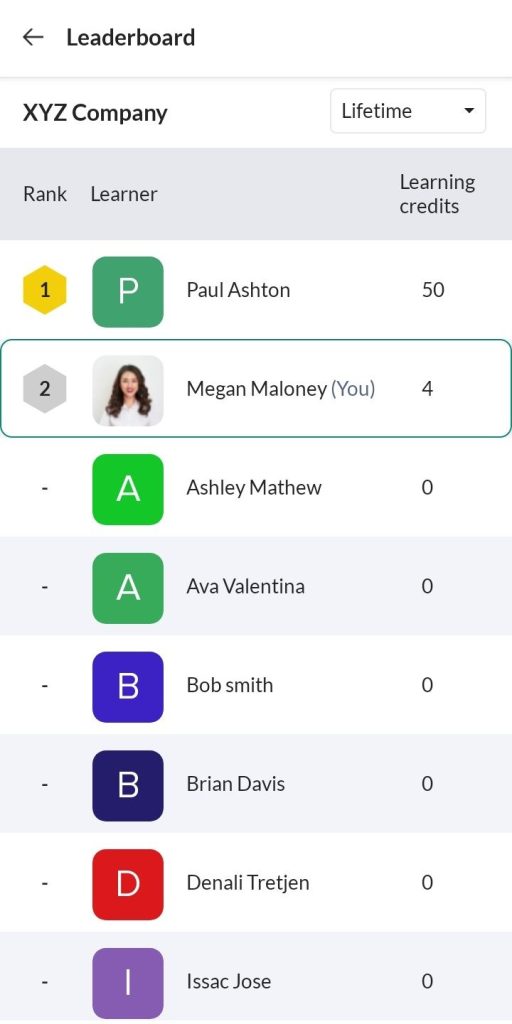
Tap on the Organizational Leaderboard rank navigates learners to the Leaderboard Details page, where they can view their ranking and compare it with others at the organizational level.
Group Leaderboard
Tap on the Group Leaderboard rank navigates learners to the Leaderboard Details page, where they can view their ranking and compare it with others within their group or department.
Recent achievements
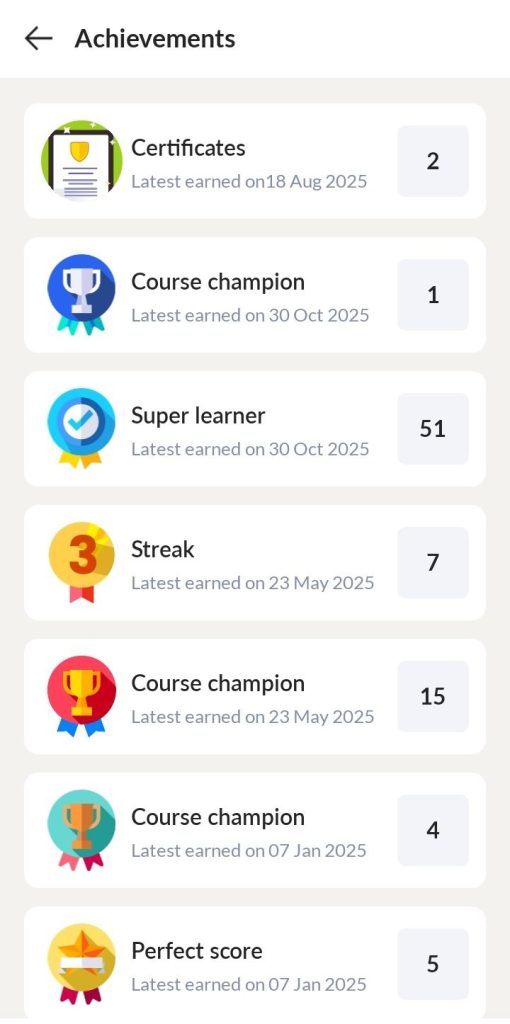
In the Recent achievements tab, you can view the badges and certificates achieved.
Updating your profile
You may click the Edit icon and edit your expertise tags, profile summary.