Managing AI Mentors
Navigation: Administration > Manage AI Mentors
In Skill Lake, Administrators can create and manage AI mentors to provide real-time, context-aware assistance to learners as an on-demand virtual coach.
Note: As a prerequisite, you must have configured AI permissions through Administration > Settings > Roles & Permissions and enabled the OpenAI feature in Administration > Settings > Integrations to create and manage AI mentors.
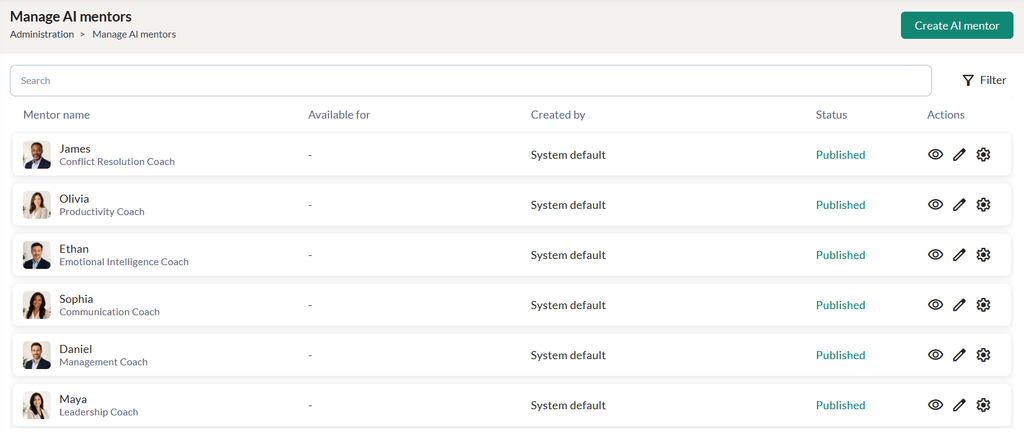
- Click on the Create AI Mentor button to create an AI Mentor.
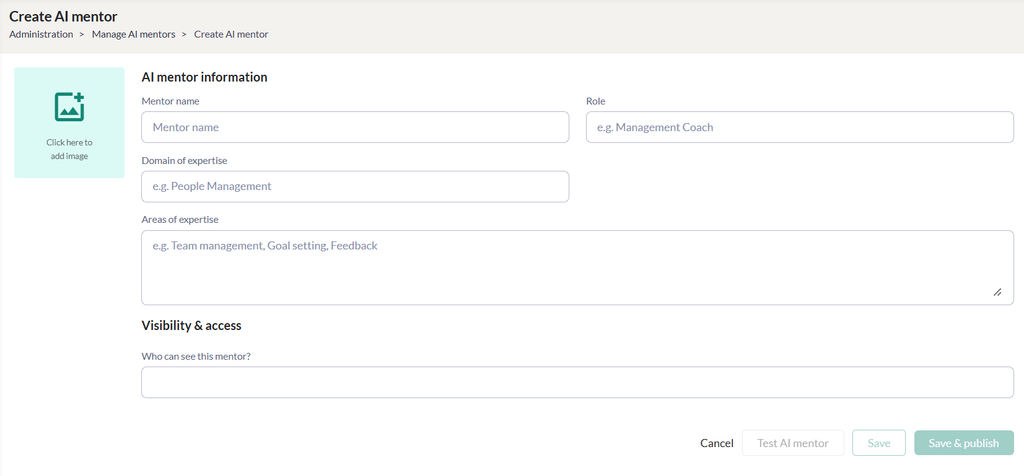
- Enter the mentor’s name, role, domain of expertise and areas of expertise.
- Select the group/subgroup that can view this AI mentor.
- Click on the Test AI Mentor button to verify responses before publishing.
- Click on the Save & Publish button to save and publish the mentor.
Published mentors appear on the Manage AI Mentors page, where you can view, edit, or unpublish them.