Learning Home
The Learner Dashboard is the home screen of the Skill Lake mobile app. It provides an overview of assigned courses and enables learners to quickly continue their learning. The dashboard displays the latest updates, including learning recommendations, newly assigned courses, new courses added to the library, recent events, journal updates, and knowledge areas.
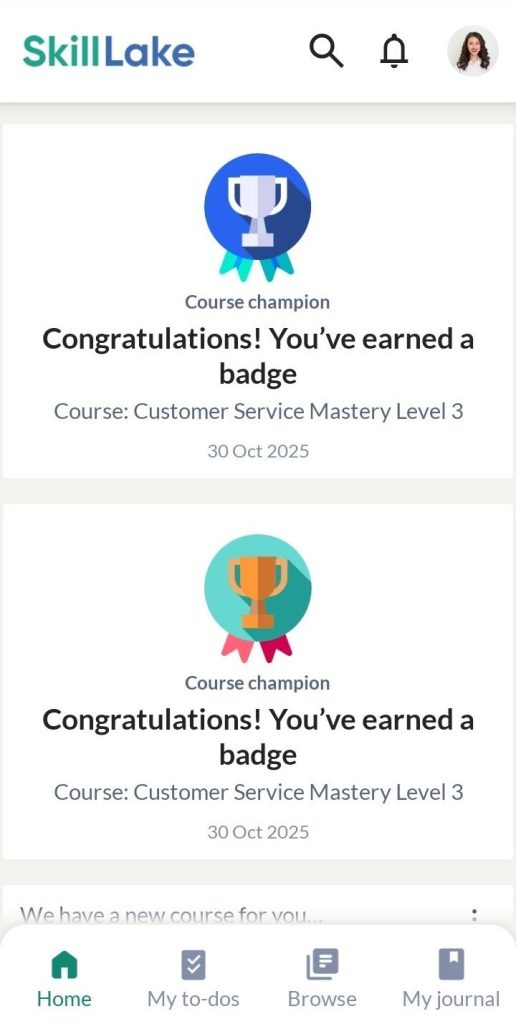
Tap the course you want to learn, navigate through each unit, and complete them. You may also attend webinars and take tests.
Note: You can submit assignments only using the Skill Lake Web App.
My to-dos
You can view your learning to-dos in this section. To-Dos are a list of items learners must focus on or complete. To-do list items may include activities, snippets, events, courses, sessions, assignments, and learning paths. The to-do items may or may not have a deadline.
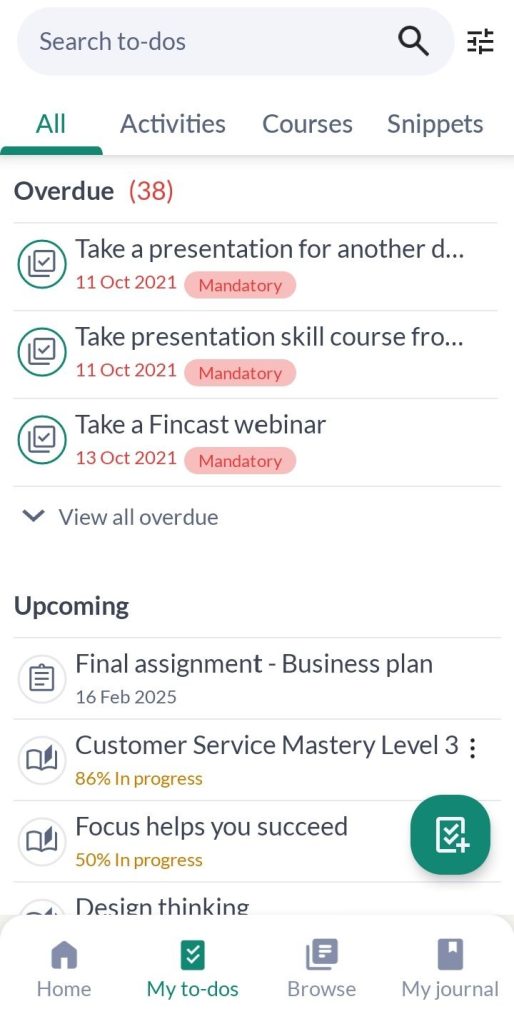
To edit the to-do item, you may click on the three dots icon and Edit icon. Tap on the Add to-dos icon to add a course or activity.
Adding to-dos
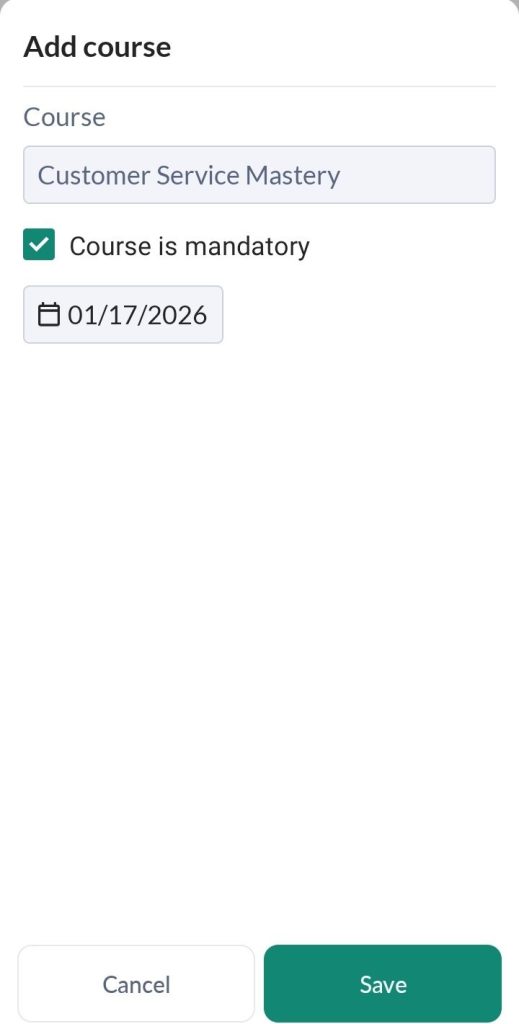
- Tap on the Add course option in the My to-dos section. In the Add course pop-up, type the required course name, set the course as mandatory (if needed), tick the completion date, and tap the Save button.
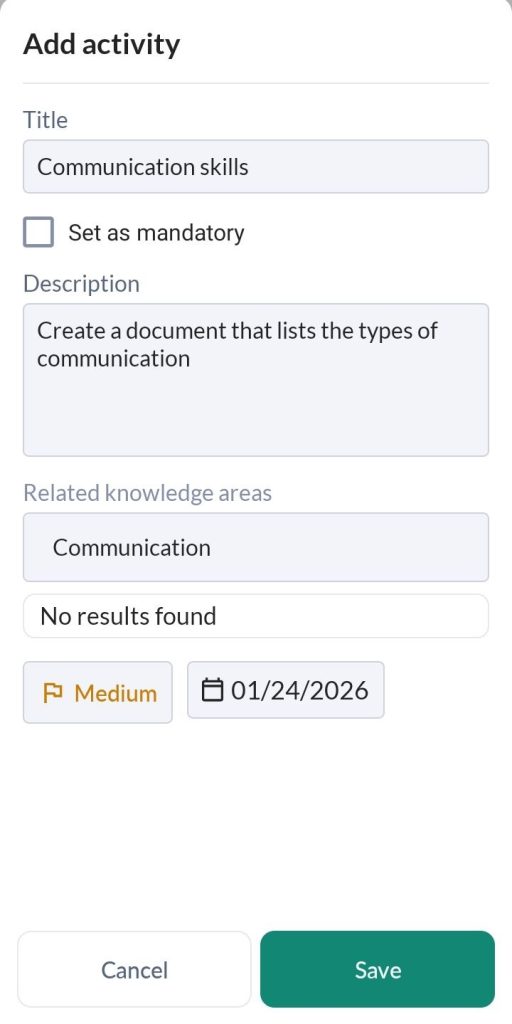
- To add an activity as a to-do item, tap on the Add activity option. In the Add an Activity pop-up type the activity name, description, relevant knowledge area, set priority, specify the completion date, and tick the mandatory option (if required). Tap the Save button.
All activities and courses learners include in their to-do list will be displayed in the ‘My to-dos list’.