When to Replace an Employee Learning Management System: 10 Signs to Look For

Is your employee learning management system helping you build real skills, or is it just frustrating your team? Outdated software wastes your budget and turns training into a tedious chore. If your current LMS platform feels hard to use, lacks modern features, or takes too much manual work to run, it’s time for a change. Switching to a modern LMS makes learning an effortless part of daily work. Here are 10 clear signs that can help you understand when to replace an employee learning management system and move to a platform that better supports your workforce.
What is an Employee Learning Management System?
An employee learning management system (LMS) is an online tool that allows your business to create, deliver, manage, and track workforce training – all in one place. Modern AI-powered LMS platforms go beyond traditional learning by automating routine admin work, speeding up course creation, and closing skill gaps. This gives leaders clear visibility into employee performance and compliance while ensuring every team member receives the personalized training needed to drive real business growth.
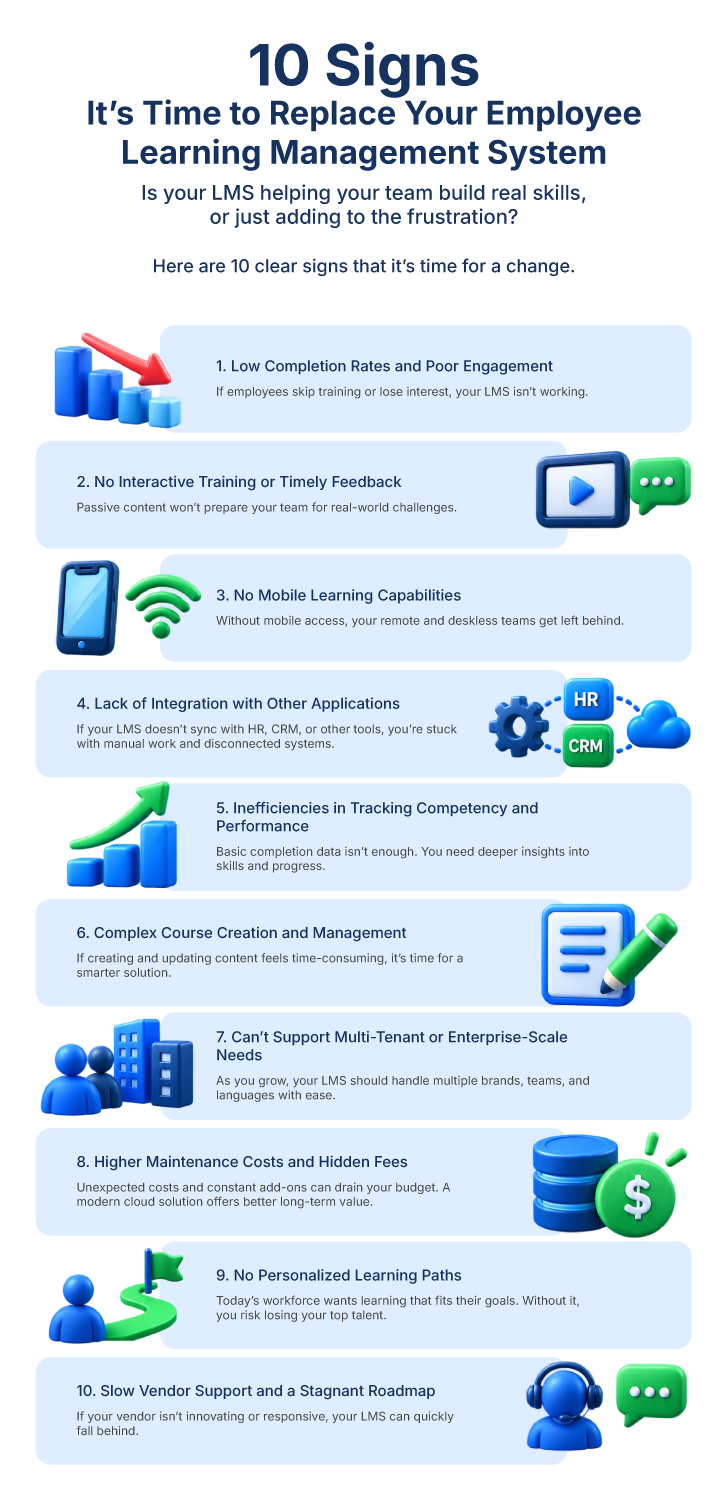
10 Signs It’s Time to Replace Your Employee LMS Software
These 10 red flags can help you determine when to replace an employee learning management system and whether your current platform still meets your organization’s needs.
1. Low Completion Rates and Poor Learner Engagement
If employees treat training as a box-checking exercise—or avoid it entirely—your platform is failing to engage them. Today’s workforce needs concise, relevant, and personalized learning. If completion rates are dropping and feedback is poor, your existing LMS is holding back effective learning and skill development.
2. No Scope for Interactive Training and Timely Feedback
Passive videos and simple quizzes fail to prepare teams for real challenges. Without interactive scenario-based practice and immediate performance feedback, training remains theoretical. Employees need supervised, hands-on practice to master complex workplace situations before applying them on the job.
3. Absence of Mobile Learning Capabilities
If your platform lacks a reliable LMS mobile app with offline access, your remote employees (deskless workers) get left behind. An employee LMS with flexible mobile access helps your team complete training whenever and wherever work happens.
4. Lack of Integration with Other Applications
Your software shouldn’t operate in isolation. Your administrative efficiency drops if your LMS doesn’t automatically sync data with the other systems, such as HRIS, ERP, CRM, or communication tools. As a result, your team is forced to spend more time on manual data entry/ export across multiple disconnected platforms.
5. Inefficiencies in Tracking Competency and Performance
If your platform only tracks basic completion dates, you lack meaningful business intelligence. LMS platforms for employee training should deliver up-to-date competency mapping and performance tracking. Without these insights, leadership cannot measure the effectiveness of learning programs.
6. Complex Course Creation and Management
If your L&D administrators, trainers, or subject matter experts find uploading content or building learning paths overly tedious, it’s time to change your LMS. A corporate LMS featuring an in-built AI course generator allows you to speed up course creation and updates, improving overall content management.
7. Inability to Support Multi-Tenant or Enterprise-Scale Needs
As your business scales globally, your training needs become more complex. If your employee development software struggles with multi-tenancy (managing different brands, departments, or external partner networks within one platform) and localized languages, you must look for a change. A scalable corporate training platform allows you to quickly adapt to changing organizational structures and user needs.
8. Higher Maintenance Costs and Hidden Fees
Legacy employee development platforms often hide steep total-ownership costs. You may end up paying extra for routine feature updates, custom developer support, or third-party add-ons. Moving to a modern cloud solution (cloud-native SaaS LMS) saves your business from such unexpected expenses and also offers higher long-term ROI.
9. Lack of Personalized Learning Paths for Learners
Training today goes beyond compliance; it’s about retention, internal mobility, and continuous upskilling. If your platform doesn’t offer learning paths tailored to your workforce’s learning requirements, your top talent leaves. Adopting a skills-based LMS helps you align employee upskilling with organizational goals and individual aspirations.
10. Slow Vendor Support and a Stagnant Product Roadmap
If your software hasn’t evolved over the past 18 months, your vendor isn’t innovating. Relying on an outdated learning management system software for employees increases your operational risks. A forward-looking LMS for skill development should provide ongoing customer support and roll-out new features regularly.
Should You Replace Your Employee LMS or Upgrade It?
Deciding whether to patch your current learning platform or replace it completely comes down to two factors: architecture and performance.
When to Upgrade Your LMS
- The Core Platform is Solid: User adoption is high, system integrations work seamlessly, and mobile access is reliable.
- You Only Have Feature Gaps: You simply need specific capabilities—like adding an AI course generator or plugging in third-party tools for AI role play in learning.
- Administrative Workflows Are Efficient: Your L&D team isn’t wasting hours troubleshooting system glitches or manually processing data.
- Manual Content Creation Holds You Back: You simply need to speed up course development, which can be solved by adding AI authoring tools rather than replacing your entire platform.
When to Replace Your LMS
Engagement and ROI Have Collapsed: Employees actively avoid training, completion rates are dropping, and feedback is negative.
- The Architecture is Outdated: The system lacks API connectivity, fails to offer mobile access, or cannot support a skills-based learning framework.
- Maintenance Costs Outweigh Value: You pay heavily for legacy support, custom developer fixes, and third-party plugins.
- The Vendor Has Stopped Innovating: Product roadmaps are stagnant and customer support is slow.
- The Platform Doesn’t Scale: The LMS cannot handle your expanding headcount, new business locations, multiple sub-brands, or growing training programs.
- Outdated Features: The platform lacks modern capabilities like AI, mobile learning, automation, or personalized learning.
- No Content Generation Capabilities: Creating, updating, and organizing course materials takes too much manual effort. This leaves your L&D team bogged down in tedious admin work.
Tip: Upgrading an obsolete LMS with endless add-ons increases technical debt. Replacing it transforms your L&D investments into a strategic advantage.
What Should You Look for in a Modern Employee Learning Management System?
The right LMS turns routine training into measurable workforce growth. Look for these essential features when evaluating a learning platform:
- Personalized Learning Paths: Structured training tailored to specific job roles and individual learning goals allows employees to build relevant skills faster.
- AI-Powered Course Creation: Built-in AI authoring tools speed up content creation, making it easy to build courses and update training materials.
- AI Role Play Simulation: Interactive role-playing helps employees practice real-world workplace situations in a guided environment, followed by immediate post-session feedback.
- Competency and Skill Tracking: An LMS built for skill development tracks team competencies, identifies talent shortages, and bridges organizational skill gaps.
- Mobile & Connected Ecosystem: An LMS should integrate with your essential business applications for reducing manual admin work. It should also offer mobile learning access to your remote and frontline teams.
How to Evaluate a New Employee Learning Management System
Follow these steps to evaluate and select the right LMS for employee training:
- Define Measurable Business Goals: Determine the key objectives you want to achieve using an LMS like faster onboarding or improved employee retention. Now assess how far the LMS will help you in achieving these goals.
- Analyze Enterprise Integrations: Confirm if the LMS connects natively with your other business platforms, such as your HRIS, CRM, or communication tools. This is crucial for ensuring seamless data flow across your systems. Also, make sure the LMS offers single sign-on (SSO) for accessing all the connected apps.
- Evaluate AI Capabilities: Evaluate built-in AI features such as AI course creation, AI document to video conversion, and interactive training simulations. These AI capabilities help modernize your training efforts.
- Run a Hands-On Proof of Concept (POC): Have your L&D admins and employees test everyday tasks in a vendor sandbox (trial) using real training materials. This will help you grade the platform’s actual usability.
- Assess Vendor Viability & TCO: Calculate the full total cost of ownership (TCO)—including implementation, migration, integrations, and licensing fees—while reviewing vendor security, compliance, and roadmaps.
How Skill Lake Supports Modern Employee Learning Needs
Skill Lake is designed to transform workforce development into a personalized, continuous learning experience. Instead of forcing static content onto employees, Skill Lake aligns individual growth with organizational objectives through learning personalization and flexible mobile access.
- Learning Personalization: Built-in AI tools help generate course materials quickly and deliver tailored content recommendations based on specific skill gaps.
- Bite-Sized Microlearning: Delivers focused “learning bytes” and quick modules that fit into daily workflows to improve knowledge retention.
- Dedicated Mobile LMS App: Features a responsive LMS mobile app for both iOS and Android users. This allows your remote teams to learn anytime, anywhere.
- Competency Mapping: Simplifies skill tracking and mentorship through tailored learning paths and in-depth performance tracking.
- Flexible Learning Modes & Integrations: Connects seamlessly with your major enterprise software. Supports diverse learning styles, from self-paced modules to instructor-led training.
Frequently Asked Questions
Q: How do I know if my current employee LMS is outdated?
A: Your employee learning management system is likely outdated if its user interface is less friendly, lacks mobile access, and cannot provide AI capabilities or smart content creation tools.
Q: When should a company replace its employee LMS?
A: You should replace your LMS when low course completion, poor engagement, high maintenance fees, and fragmented administrative workflows prevent your organization’s skill development.
Q: How does an outdated LMS impact business ROI and employee retention?
A: An obsolete LMS platform reduces course completion rates and neglects career development pathways. This forces your top talent to leave, seeking growth elsewhere.
Q: How long does it take to migrate to a new employee LMS?
A: Most mid-sized to large enterprise organizations complete an LMS migration in three to six months, depending on content volume and HRIS integration complexity.
Q: What is the average cost of replacing an enterprise LMS?
A: The average total cost for LMS replacement depends on total user count, custom integrations, implementation fees, and recurring SaaS licensing.
Build a culture of continuous learning with Skill Lake’s state-of-the-art people development platform. Give your employees professional training to help them excel in their job roles and propel your business to greater efficiency and success.
Start Today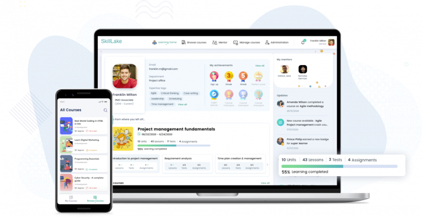

Other Reads from Skill Lake
-

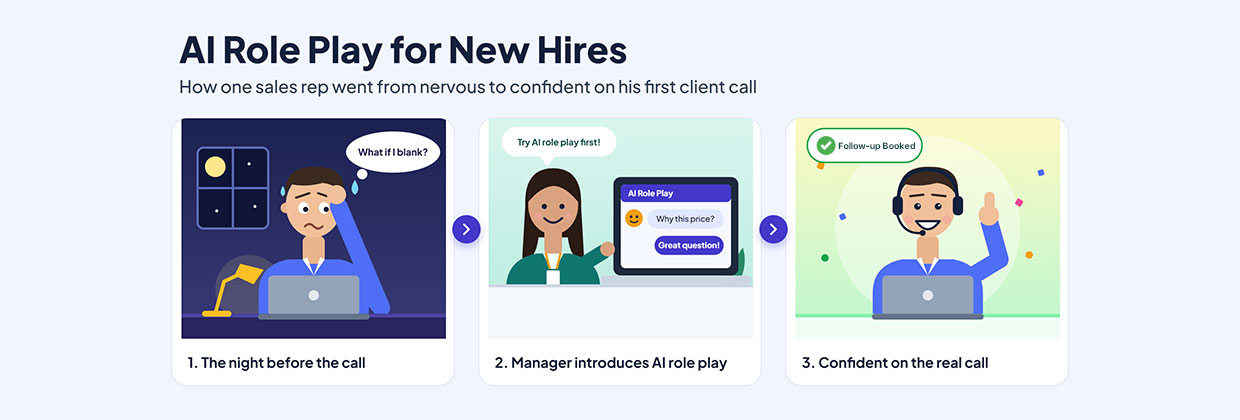
AI Role Play for New Hires: How One Sales Rep Went From Nervous to Confident on His First Client Call
Read MoreEvery new sales hire remembers the first client call. The product knowledge is there, the onboarding is done, and the calendar invite is sitting in the inbox. What is missing is the confidence that only comes from having done it before. Every new sales hire remembers the first client call. The product knowledge is there,
-
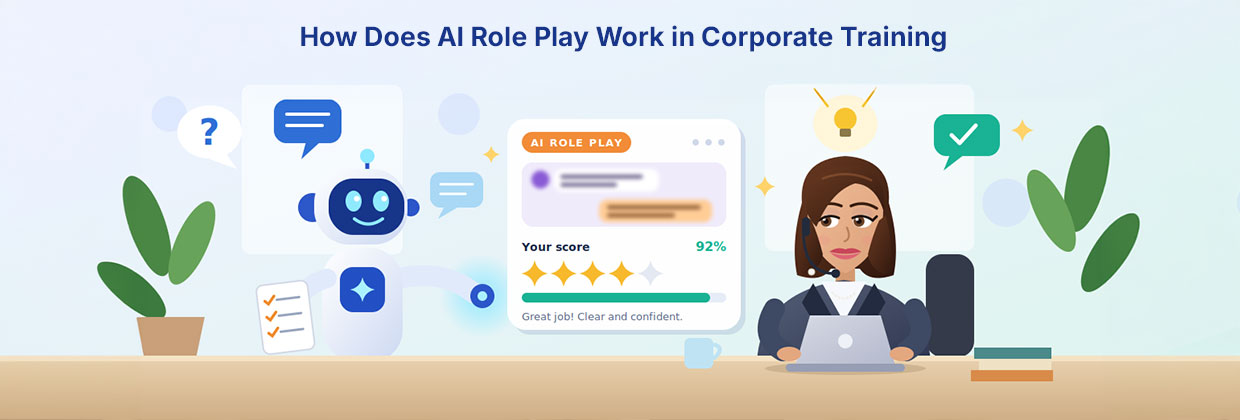
How Does AI Role Play Work in Corporate Training?
Read MoreAnyone can look up how to calm an angry customer. Ask a chatbot, skim a checklist, and you’ll have a decent answer in seconds. But the first time a real customer raises their voice, that checklist has a way of vanishing from your head. That gap between knowing and doing is where a lot of
Anoop Kumar MS
Anoop Kumar MS, Product Manager of Fingent Global Solutions Pvt. Ltd., is an experienced product specialist with expertise in identifying customer needs and delivering innovative, data-driven solutions. Skilled in wireframing, UX, requirements analysis, risk assessment, team management, and root cause analysis, he excels in managing product lifecycles and fostering seamless collaboration to address real-world challenges.